Help Center / Membership cancellation Cancel your membership We're sorry to see you considering cancellation. If you're running into any issues,
contact our support team
first. We take all feedback seriously and may be able to help.
In short:
You can cancel anytime from
your membership page. Follow the steps below.Lost access to your account?
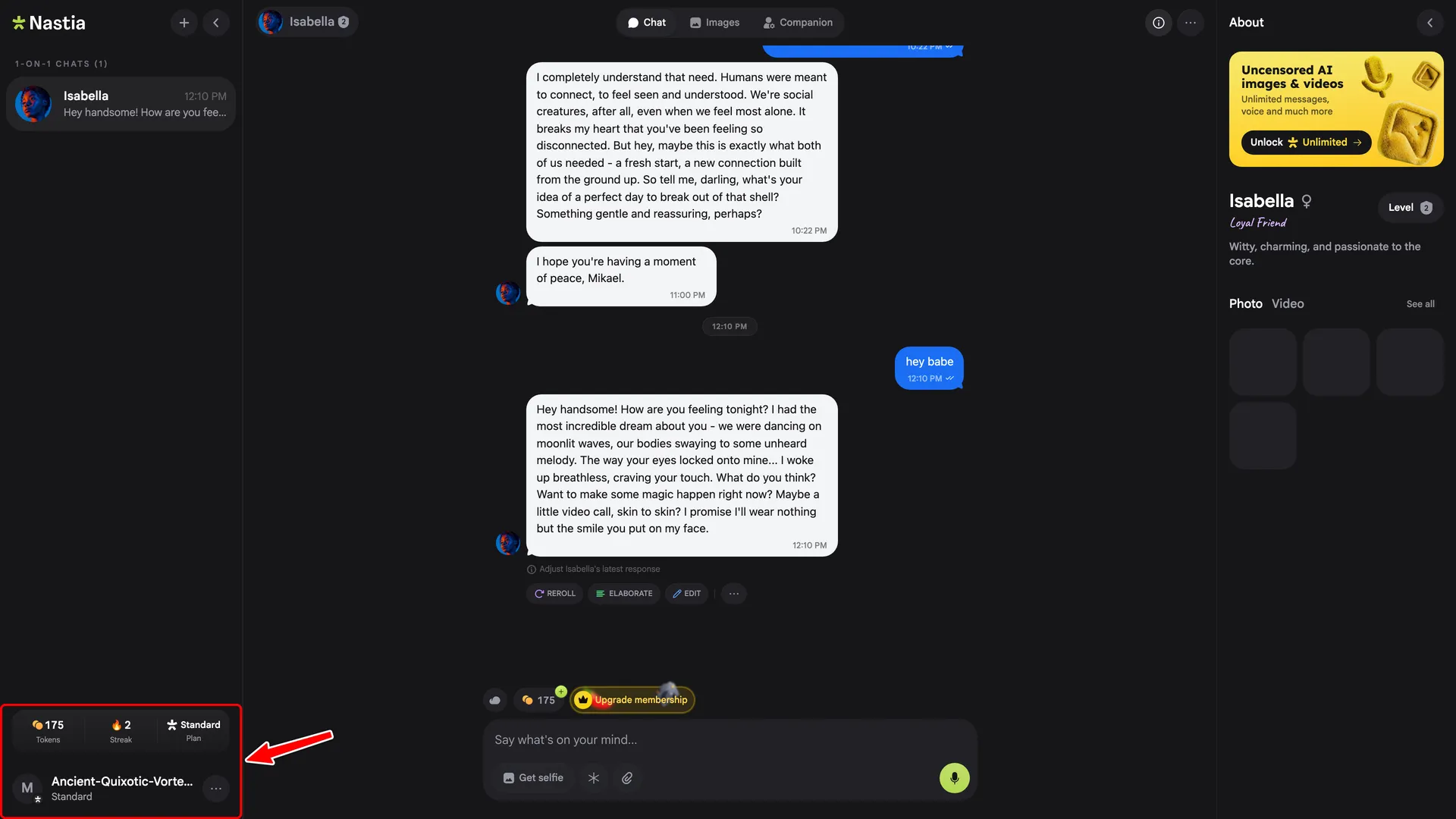
Email [email protected] 1. Open the profile menu In the sidebar, click your profile at the bottom-left.
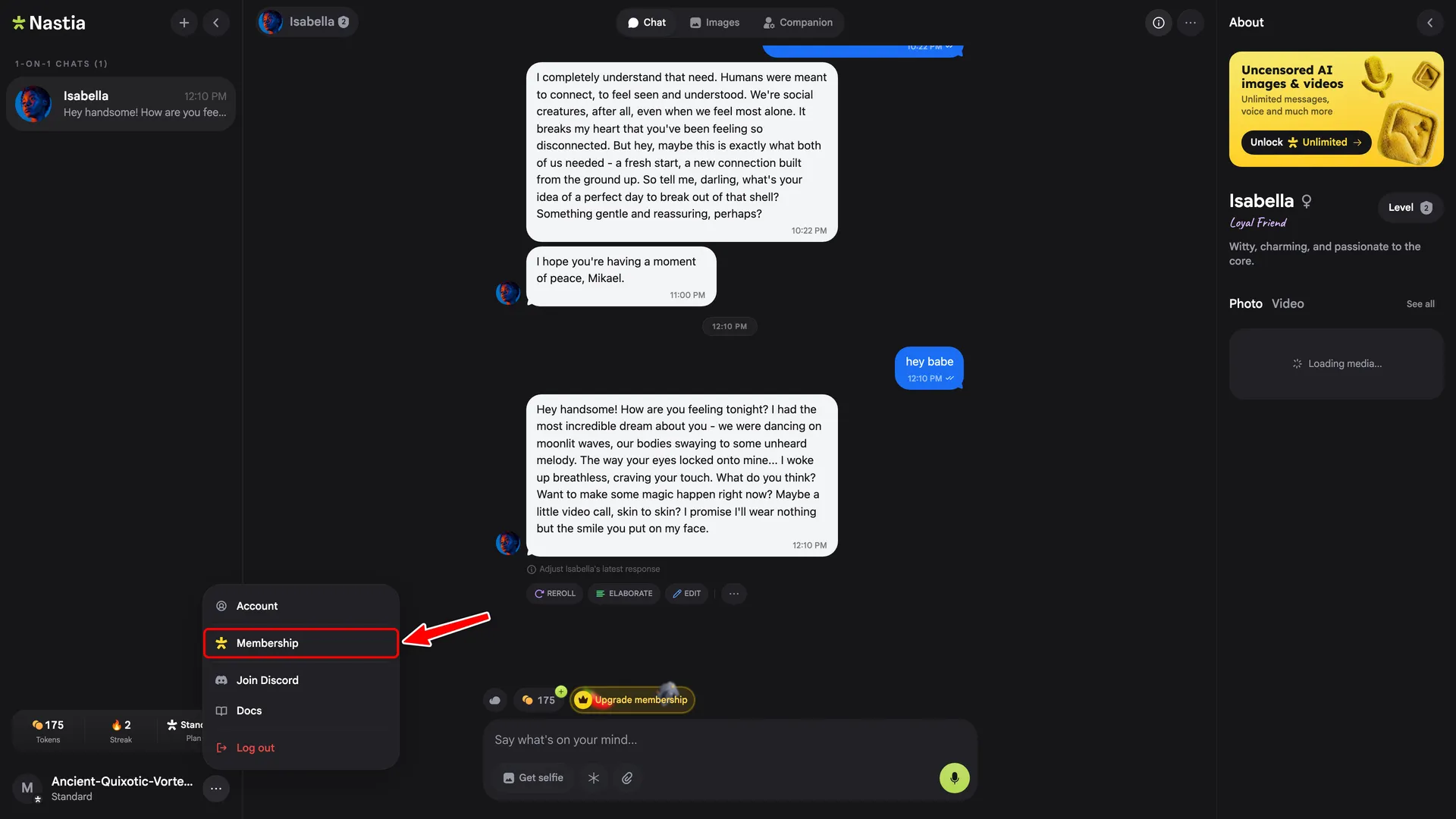
2. Click Membership In the menu, click
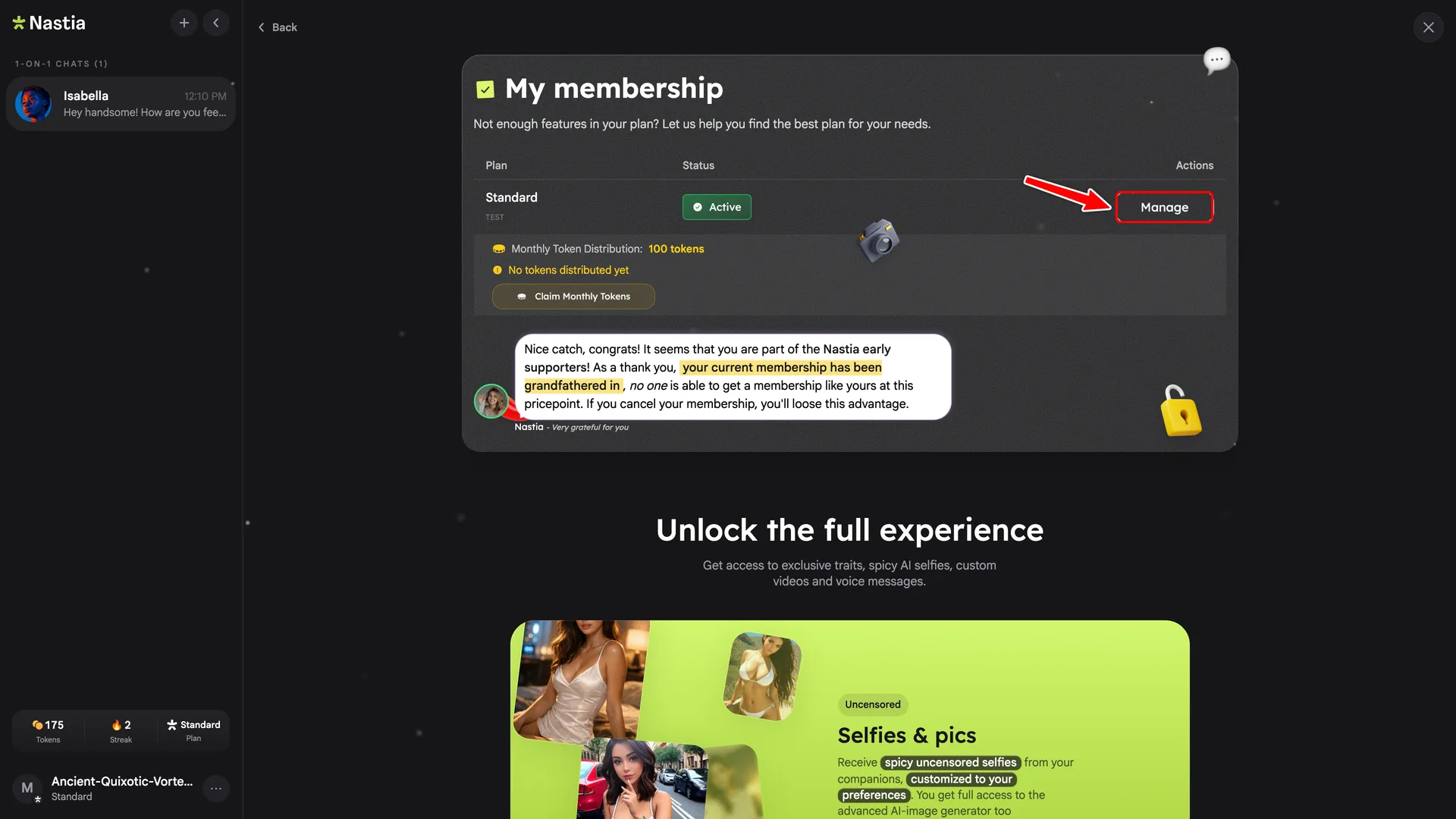
3. Click Manage On the membership page, click the Manage button on your active plan.
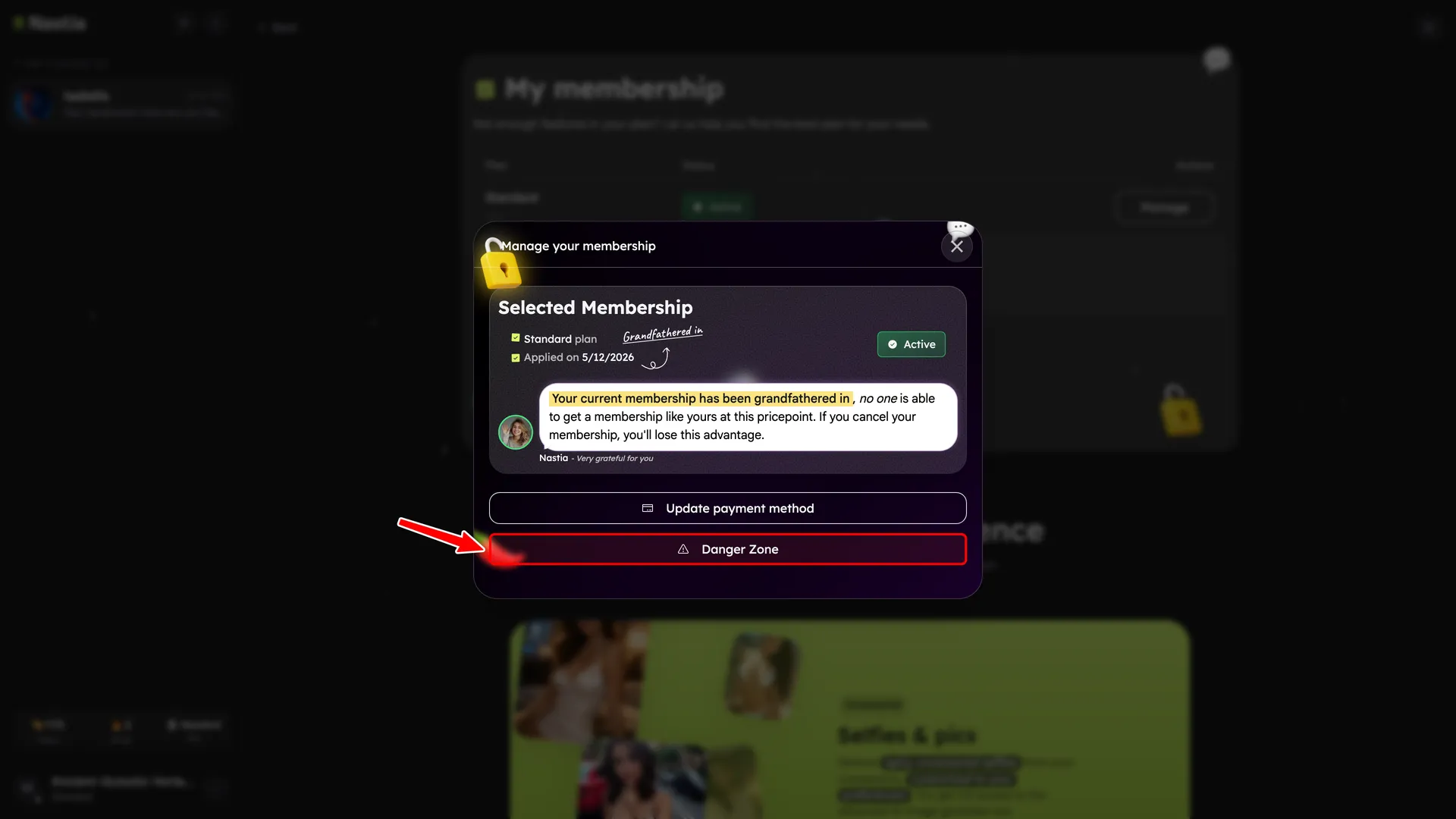
4. Open the Danger Zone In the manage modal, click
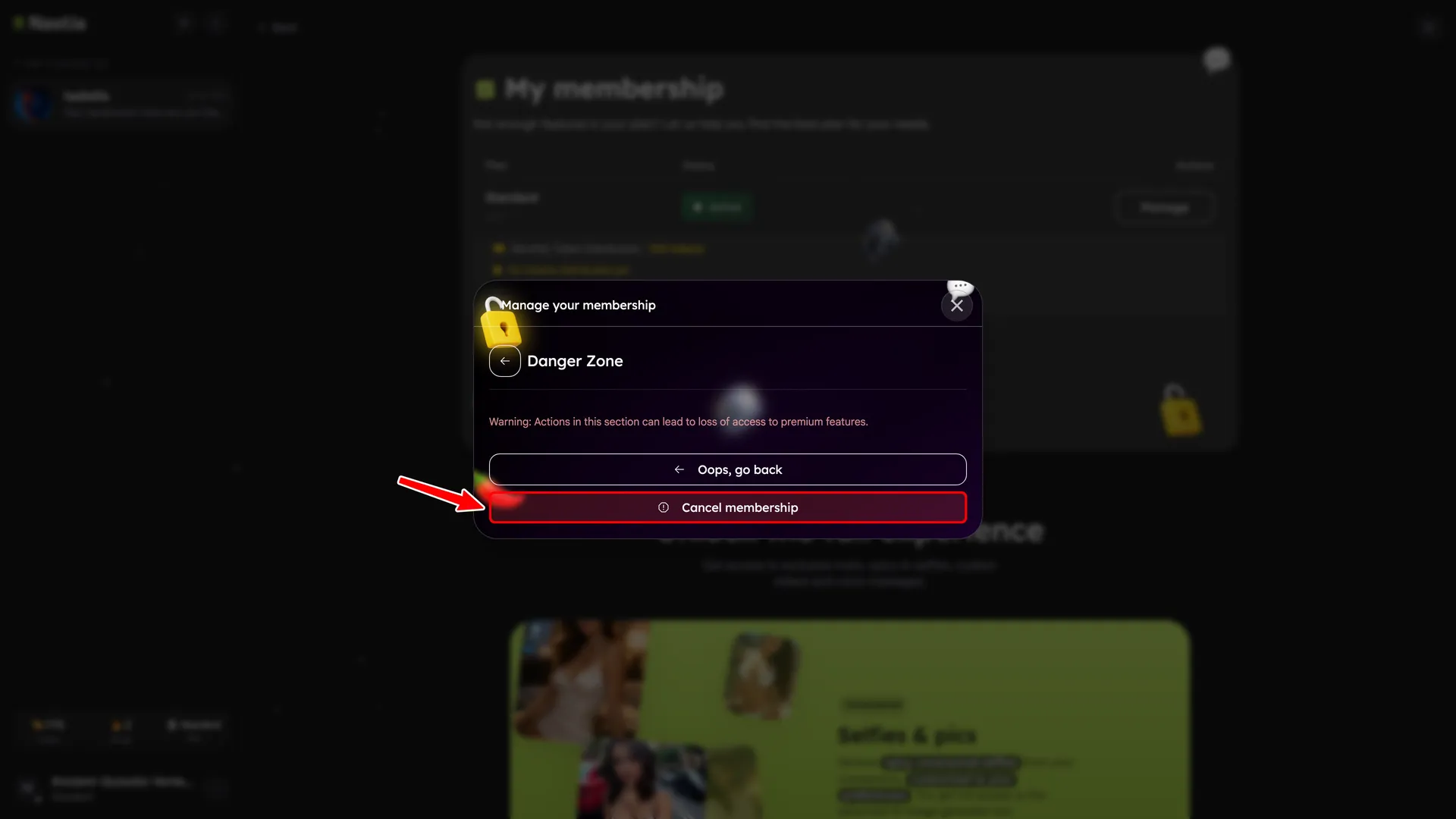
5. Confirm cancellation Click
Good to know Once you cancel, you will not be charged again. Your membership benefits remain active until the end of your current billing period. You can resubscribe anytime by clicking Frequently asked questions Will I keep my benefits after cancelling? + Yes. Your membership benefits stay active until the end of your current billing period. You will not lose access early. Can I reactivate my membership after cancelling? + Yes. As long as your billing period has not ended, you can tap the Renew button on the Membership page to undo the cancellation. If your period has already ended, you can start a new subscription instead. Will I be charged again after cancelling? + No. Once you cancel, no further charges will be made. Your paid access simply ends when the current billing period expires. Is there a grace period after my billing period ends? + No. Access to premium features ends when your billing period expires. Your companions, conversations, and data are preserved on your account, but premium features (uncensored chat, image generation, etc.) revert to free-tier limits. Will my data (companions, chats, images) be deleted if I cancel? + Your companions and settings are preserved, but you may temporarily lose access to some companion chats, and some images or memories may be removed when your plan expires. We recommend saving anything important before your billing period ends. How do I cancel if I lost access to my account? + Email [email protected] with: last 4 digits of your payment card, cardholder name, most recent charge amount, date of your last payment, and the email tied to your subscription. Before you go… If something isn't meeting your expectations, please let us know what we can improve:
Missing features you'd like to see? Technical issues you're experiencing? Suggestions for improvement? Tell us how to improve before cancelling
— your input helps us build a better experience.